Popular games

Related games



Published on: November 2026
Game technology: HTML5
Platforms: PC, Phone, Tablet
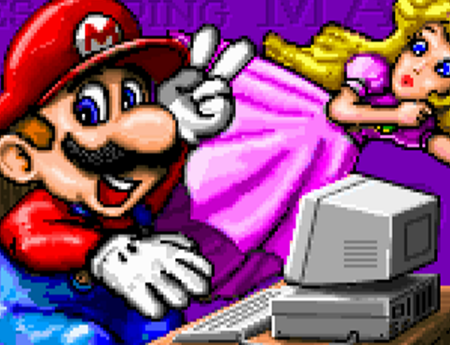
Mario Teaches Typing 2 is an educational typing game that combines keyboard exercises with characters and environments from the Mario series. Players choose Mario, Luigi, or Princess Peach and complete typing challenges to improve their speed and accuracy. The game includes animated sequences, interactive lessons, and a talking Mario head that provides feedback. Progress is measured through typing performance rather than traditional platforming or combat.
Story and Main Objective
The story begins when Mario and Luigi discover a Magical Typewriter near Bowser’s Castle. A scroll explains that typing a special spell can destroy the castle. However, Mario makes several typing mistakes, causing the typewriter to explode into three pieces. The brothers must recover the missing parts and improve their typing skills. After retrieving the pieces, Mario types the spell correctly, summoning a giant typewriter that destroys Bowser’s Castle.
Levels and Typing Challenges
The game contains four main typing activities with different difficulty levels. Each introduces exercises designed to develop keyboard skills, beginning with individual letters and progressing to complete sentences.
The available levels include:
· Mario’s Smash and Dash – beginner exercises involving individual letters, blocks, and Koopa Troopas.
· Mario’s Wet World Challenge – underwater challenges where players type complete words.
· Mario’s Tunnel of Doom – advanced exercises involving sentences, punctuation, and dangerous obstacles.
· Mario’s Expert Express – typing practice focused on improving speed and accuracy.
Players advance by typing the characters displayed on the screen. Correct inputs help their selected character overcome obstacles, while mistakes affect performance. The game includes adjustable lesson plans and difficulty settings, allowing players to practice specific keyboard skills.
Keyboard Training and Progress
Mario Teaches Typing 2 also includes Mario’s Magical Keyboard, an interactive mode featuring a color-coded keyboard. Players can press individual keys to trigger animations associated with different characters and objects. The colored layout demonstrates which fingers should be used for typing. Performance reports track typing speed, accuracy, and frequently missed keys. Players can review their results, repeat lessons, and work toward higher words-per-minute scores. Completing typing objectives can also unlock achievement certificates.